
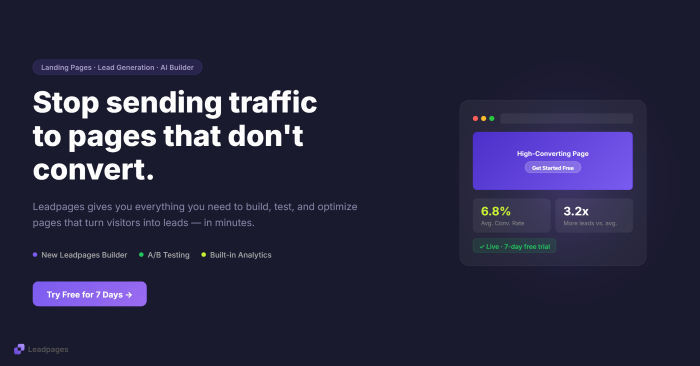
If you’re paying to send people to a landing page, getting visitors is only half the job.
The harder question is what happens after they arrive.
Do they understand the offer? Do they know what to do next? Can you test different versions of the page? And when a page isn’t converting, can you figure out why without hiring a developer or stitching together five different marketing tools?
That’s the problem Leadpages is trying to solve.
But Leadpages has changed considerably in 2026. It is no longer positioned simply as an easy landing-page builder. The platform now puts much more emphasis on conversion-rate optimization (CRO), AI-powered page creation, A/B testing, personalization, heatmaps, and visitor intelligence.
And that makes the obvious question more interesting:
Is Leadpages actually worth paying for in 2026?
Let’s look at what you’re getting, what it costs, where it makes sense, and where you may want to consider an alternative.
Affiliate disclosure: This article may contain affiliate links. If you sign up through one of our links, AIVibers may earn a commission at no additional cost to you. Our analysis is based on publicly available product information and independent research.
Leadpages at a glance
| Feature | Leadpages |
|---|---|
| Product type | Landing-page and conversion-rate optimization platform |
| Current entry price | $99/month for Grow |
| Higher plans | $199/month Optimize; $399/month Scale |
| Free trial | 7 days |
| AI page creation | Yes |
| A/B testing | Yes |
| Smart Traffic | Yes, on Optimize and above |
| Heatmaps | Yes, on Optimize and above |
| Unlimited traffic | Yes |
| Custom domains | Yes |
| Forms and lead capture | Yes |
| Integrations | Yes |
| Best suited to | Marketers, businesses and teams focused on lead generation and conversion optimization |
Leadpages’ current official documentation lists Grow at $99/month, Optimize at $199/month, and Scale at $399/month. Annual billing saves approximately 20%.
What is Leadpages?
Leadpages is a software platform for creating landing pages, websites, and marketing campaigns designed to turn visitors into leads or customers.
The important distinction in 2026 is that Leadpages is positioning itself as more than a page builder.
Its current platform combines page creation with tools for A/B testing, personalization, analytics, lead enrichment, dynamic text replacement, heatmaps, and AI-powered optimization.
In practical terms, the idea is straightforward:
Create a page → send traffic to it → see what happens → test improvements → optimize the page.
That’s a different proposition from using a basic website builder simply to put a page online.
Leadpages pricing in 2026
This is one area where you need to be careful when researching Leadpages.
A surprising amount of online content still references older pricing.
Leadpages’ current official pricing lists three main Leadpages plans:
Grow — $99/month
Grow is positioned toward solo marketers and small teams starting with CRO.
It includes:
- Unlimited pages
- Unlimited traffic
- Four custom domains
- SSL
- Manual A/B testing
- Dynamic text replacement
- Lead enrichment
- AI page creation
- Forms and webhooks
- Up to five active integrations
- 40,000 AI credits per month
Annual billing brings the effective monthly price down to $79, based on Leadpages’ current pricing.
Optimize — $199/month
Optimize adds more advanced conversion-optimization capabilities, including:
- Smart Traffic
- Click and scroll heatmaps
- Auto-personalization
- More integrations
- Longer analytics retention
- More domains
- More AI credits
- Team seats
The annual equivalent is $159/month.
Scale — $399/month
Scale is aimed more at agencies, larger marketing teams, and organizations managing multiple brands or campaigns.
It adds capabilities such as:
- More team seats
- More integrations
- Workspaces
- Audit logs
- Cross-page learning
- Full auto-optimization
- Dedicated customer support/account management
The annual equivalent is $319/month.
There is also a 7-day trial
Leadpages currently advertises a 7-day free trial, with access to the features of the selected plan during the trial.
That matters because $99/month is not an insignificant subscription for a small business.
Trying the actual workflow before committing is therefore more useful than simply reading another five-star review.
What makes Leadpages different in 2026?
The biggest change is the platform’s move toward CRO.
A traditional landing-page builder helps you create a page.
Leadpages increasingly wants to help you answer a different question:
What can I change to get more of the people visiting this page to take action?
That difference shows up in several of its features.
1. AI landing-page creation
Leadpages now promotes AI-powered page creation as part of its core product.
Its current site says users can describe their campaign and generate a complete page, which can then be edited through the visual builder.
That could be useful if you’re staring at a blank page wondering:
“Okay… what am I supposed to put here?”
AI can give you a starting point for the structure and copy instead of making you build everything from scratch.
But there’s an important distinction:
Generating a page isn’t the same thing as creating a page that converts.
Your offer, audience, positioning, proof, and call to action still matter.
AI can accelerate production. It can’t magically make a weak offer attractive.
2. A/B testing
This is one of the more commercially important Leadpages features.
Instead of guessing whether one headline is better than another, you can create different page variants and compare their performance.
For example:
Version A
Download the Free Marketing Guide
Version B
Get the 2026 Marketing Playbook
Rather than debating which sounds better, you can test the versions against real visitor behavior.
Leadpages includes manual A/B testing from the Grow plan, with more advanced optimization capabilities available on higher plans.
For someone actively running campaigns, this can be considerably more valuable than simply having a collection of attractive templates.
3. Smart Traffic
Smart Traffic is where Leadpages starts moving further into automated optimization.
The system is designed to route visitors toward page variants based on which version is more likely to convert.
It is available on the Optimize plan and above.
The attraction is obvious:
Instead of manually watching every test and deciding when to change traffic distribution, the platform can assist with the optimization process.
But again, don’t confuse automation with guaranteed results.
The quality of your traffic and offer still matters enormously.
4. Heatmaps
Heatmaps can help you see how visitors interact with a page.
Depending on the type of heatmap, you can investigate things such as:
- Where people click
- How far they scroll
- Which areas receive attention
- Where engagement appears to drop
Leadpages currently includes click, scroll, and attention heatmaps on Optimize and Scale.
This is useful because conversion optimization isn’t always about changing a button color.
Sometimes the problem is much simpler:
People aren’t getting far enough down the page to see your offer.
5. Dynamic text replacement
Another interesting feature is dynamic text replacement.
The basic idea is to make landing-page messaging more closely match the traffic source.
For example, imagine someone clicks an advertisement promising:
“Free Social Media Marketing Checklist”
They arrive on a page whose headline repeats that same message.
That consistency can make the transition from advertisement to landing page feel more natural.
Leadpages currently includes dynamic text replacement from the Grow plan.
6. Lead enrichment
Leadpages also includes lead-enrichment capabilities.
The purpose is to provide additional information about visitors or leads, helping marketers understand who is interacting with their campaigns.
The specific limits vary by plan, with higher limits on Optimize and Scale.
This becomes more interesting for businesses doing targeted marketing rather than simply collecting email addresses.
Is Leadpages easy to use?
Leadpages has historically built its reputation around making landing-page creation accessible without requiring advanced coding skills.
Current product materials continue to emphasize visual editing and AI-assisted page creation.
Independent customer reviews also frequently mention ease of use.
For example, Capterra currently lists Leadpages at 4.5/5 from 302 reviews, with 4.4/5 for ease of use and 4.3/5 for customer service.
G2 currently lists a 4.3/5 rating from 232 reviews.
Those ratings shouldn’t be interpreted as proof that everyone will have the same experience. But they provide useful third-party context alongside Leadpages’ own marketing claims.
What can you actually build with Leadpages?
The platform can be used for several different marketing scenarios.
Lead magnets
Create a dedicated page offering an ebook, checklist, report, or other free resource in exchange for contact information.
Webinar registrations
Build a focused registration page without surrounding website navigation competing for attention.
Product launches
Create campaign-specific pages around a new product or service.
Paid advertising
Send advertising traffic to a page designed around one specific offer instead of dumping visitors onto your homepage.
Consultation bookings
Use a landing page to explain a service and direct potential clients toward a consultation or booking action.
Email campaigns
Create a dedicated destination for subscribers clicking through from an email campaign.
Affiliate marketing
Affiliate marketers can use landing pages to build an audience or promote an offer rather than sending every visitor directly to a merchant.
The important point is that Leadpages doesn’t magically create demand.
It provides infrastructure for turning existing attention into action.
Leadpages vs. a normal website builder
This distinction is worth understanding before buying anything.
A website builder is usually designed around building a broader online presence:
- Homepage
- About page
- Services
- Blog
- Contact
- Multiple navigation paths
A landing page is usually much more focused.
You might have:
One audience
One offer
One page
One primary action
That’s why landing-page software can make sense even when you already have a WordPress website.
Your website can remain your main home.
Leadpages can be used for specific campaigns.
Leadpages vs alternatives
Leadpages isn’t the only option.
And this is where an honest review needs to spend some time.
Current competitor research shows several different products competing for different parts of the landing-page market. Leadpages’ own 2026 alternatives article compares platforms including Unbounce, Instapage, Webflow, Carrd, ClickFunnels, GetResponse, and Landingi.
Leadpages vs Unbounce
Both are strongly associated with landing pages and conversion optimization.
One significant current difference is pricing structure and traffic limits.
Leadpages currently advertises unlimited traffic on its plans, while its own comparison page says Unbounce has traffic caps on some plans.
Unbounce may therefore deserve consideration if your requirements are heavily centered around its particular optimization and AI capabilities.
The right choice depends on which features your campaigns actually need.
Leadpages vs ClickFunnels
ClickFunnels takes a broader funnel-oriented approach.
It’s more focused on building complete marketing/sales funnels, including things such as offers, checkout, and follow-up workflows.
If your primary requirement is landing pages and conversion optimization, Leadpages is a different proposition.
If you need a broader funnel ecosystem, ClickFunnels deserves investigation.
Leadpages vs Instapage
Instapage is particularly prominent in the paid-advertising and landing-page optimization space.
Its pricing and traffic limits differ from Leadpages, so advertisers should compare the actual economics based on their traffic volume and required features rather than simply choosing whichever platform has the lower headline price.
Leadpages vs Landingi
Landingi is another dedicated landing-page platform that can appeal to marketers who want landing pages and campaign tools at a different price point.
The question isn’t simply:
“Which one is better?”
It’s:
Which platform gives you the capabilities you actually need without paying for features you won’t use?
That’s the comparison that matters.
What I like about Leadpages
There are several things that stand out from the current product offering.
The platform has moved beyond simple page creation
A/B testing, personalization, heatmaps, and visitor intelligence make the product much more interesting for marketers who care about what happens after a page goes live.
Unlimited traffic is straightforward
Leadpages currently advertises unlimited traffic across its plans.
For marketers running campaigns, that’s a useful pricing characteristic because you don’t have to calculate your bill around every additional visitor.
AI is integrated into the workflow
AI isn’t presented as a completely separate novelty feature. It is integrated into the page creation process.
The product is becoming more sophisticated
The 2026 version of Leadpages is clearly aimed at people who want to test and optimize, not merely publish.
What I would think about before paying
This is where the review needs to be honest.
The price is significant
At $99/month, Leadpages isn’t a casual purchase for someone who simply wants to make one landing page.
The price becomes easier to justify if landing pages are directly connected to revenue-generating campaigns.
If you’re only publishing a few pages every year, a simpler or cheaper solution may make more sense.
Advanced features require higher plans
Some of the more interesting optimization features such as Smart Traffic and heatmaps start at Optimize rather than Grow.
That means the headline $99 price isn’t necessarily the price you’ll pay if you specifically want the deeper CRO toolkit.
There is a learning curve to optimization
Having A/B testing doesn’t mean you’ll automatically run useful experiments.
You still need:
- Enough traffic
- A clear hypothesis
- Meaningful variants
- Appropriate conversion goals
- Patience
A business receiving 30 visitors a month probably shouldn’t expect sophisticated testing to transform its marketing overnight.
Customer experiences aren’t identical
Third-party reviews are generally positive, but they’re not universally positive.
Capterra currently shows strong overall ratings while also displaying individual complaints, including concerns about billing/refunds.
G2 also contains both positive and negative individual experiences.
That’s normal for a mature SaaS product, but it’s worth knowing before subscribing.
So, is Leadpages worth it?
There isn’t one answer for every business.
Leadpages makes the most sense when your business depends on landing pages, and you want optimization tools built into the same workflow.
For example, if you’re running paid campaigns and regularly need to:
- Build campaign pages
- Capture leads
- Test different versions
- Analyze visitor behavior
- Personalize messaging
- Improve conversion performance
then the CRO features become much more relevant.
On the other hand, if you simply need a basic page for a small personal project, $99/month may be difficult to justify.
That’s the key distinction.
You’re not really paying $99 just to make a page.
You’re paying for the publishing + lead capture + testing + optimization ecosystem around that page.
Who should consider Leadpages?
Leadpages is worth investigating if you’re:
A marketer
Especially if you regularly create campaign-specific landing pages.
A small business
Particularly if generating leads online is an important part of your acquisition strategy.
An affiliate marketer
Landing pages can give you more control over how visitors are introduced to an offer.
A coach or consultant
You can create focused pages for lead magnets, consultations, webinars, and service offers.
An agency
Higher plans may become more relevant when managing multiple campaigns, domains, clients or team members.
A performance marketer
This is probably where the newer CRO features become particularly interesting.
Who might not need Leadpages?
You might not need it if:
- You only need a basic website
- You’re not generating enough traffic to benefit from testing
- You don’t need A/B testing
- You already have a CRO stack that covers these functions
- Your marketing budget is extremely limited
- You only need an occasional simple landing page
In those cases, compare Leadpages against cheaper landing-page builders before subscribing.
Leadpages alternatives worth investigating
Depending on your goal, you could also look at:
Unbounce: particularly relevant to landing-page optimization and paid traffic.
Instapage: worth examining for advertising-focused landing pages and personalization.
ClickFunnels: more relevant if you need a broader sales-funnel ecosystem.
Landingi: another dedicated landing-page platform.
Carrd: useful for simpler, inexpensive one-page projects.
GetResponse: interesting if email marketing is central to your workflow.
These tools aren’t interchangeable in every situation. Leadpages’ own 2026 alternatives research also emphasizes choosing based on the job you actually need the software to perform.
Frequently asked questions
Is Leadpages worth it in 2026?
It can be, particularly for marketers who need landing pages combined with A/B testing and conversion-optimization tools. The $99/month starting price makes it more suitable for businesses with a genuine need for those capabilities than for someone who simply wants a basic webpage.
How much does Leadpages cost?
The current Leadpages plans are $99/month for Grow, $199/month for Optimize, and $399/month for Scale. Annual billing reduces the effective monthly cost by approximately 20%. Leadpages currently offers a 7-day trial.
Does Leadpages have AI?
Yes. Leadpages currently includes AI page creation and provides monthly AI credits with its plans. AI credits are used for activities such as generating or editing pages.
Does Leadpages have A/B testing?
Yes. Manual A/B testing is included from the Grow plan, while higher plans add more advanced optimization capabilities.
Does Leadpages have a free trial?
Yes. Leadpages currently advertises a 7-day free trial with access to the selected plan’s features during the trial.
Is Leadpages only for landing pages?
No. The current platform also supports websites, blogs, forms, lead capture, analytics, integrations, and conversion-optimization features.
Does Leadpages have a traffic limit?
Leadpages currently advertises unlimited traffic on its Leadpages plans.
Final thoughts
Leadpages is an interesting example of how the landing-page market is changing.
The old question was:
“How quickly can I build a landing page?”
The more relevant question in 2026 is:
“What happens after I publish the page?”
That’s where Leadpages has put much of its attention.
AI can help create the page. A/B testing can help compare variations. Dynamic text can help align messaging with campaigns. Heatmaps can show how visitors interact with the page. Smart Traffic can help automate visitor routing on higher plans.
But none of those features replace a good offer, the right audience, or quality traffic.
And that’s probably the most important thing to remember before subscribing.
Leadpages isn’t a substitute for good marketing. It’s a toolkit for executing and optimizing it.
If you’re already running campaigns and want a platform that brings page creation and CRO features together, the current 7-day trial gives you a practical way to evaluate the workflow before committing to a paid plan.